

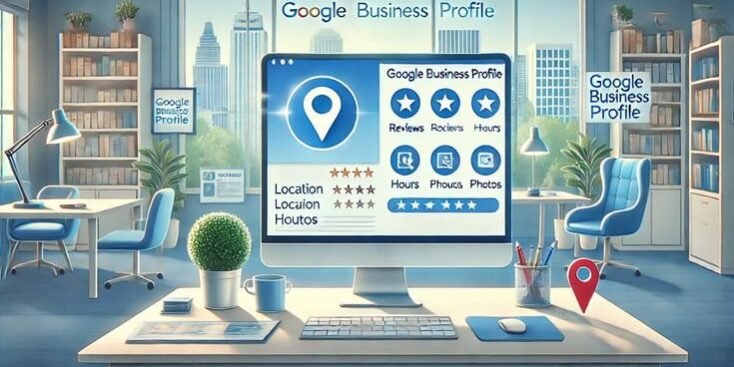
Your customers in Karachi, Lahore, or Islamabad are searching for what you offer right now — and most of them start on Google. If your business does not show up on Google Search or Google Maps, you are handing those customers to a competitor who did the work to appear. A Google Business Profile fixes that gap.
This guide walks you through what a Google Business Profile is, how it works in Pakistan, and how to set it up correctly. It is written for shop owners, startups, freelancers, and service providers who want more local customers without guesswork.
Getting the setup right takes patience, and many businesses lose visibility because of small, avoidable errors. If you would rather have specialists handle the technical side, the team at Gettopeaks works on local SEO and Google listings for Pakistani businesses. Either way, the fundamentals below apply to every listing.
What is a Google Business Profile?
A Google Business Profile is a free listing that lets your business appear on Google Search and Google Maps. It shows your name, location, hours, phone number, reviews, and photos in one place — usually in the panel that pops up on the right side of search results or as a pin on the map.
Google renamed “Google My Business” to “Google Business Profile” in 2021, so both terms refer to the same tool.
Your profile is often the first impression a customer gets. A restaurant in Gulberg with clear photos, updated hours, and 4-star reviews looks far more trustworthy than one with a blank listing. That difference decides who gets the call.
Next step: Search your business name on Google to check whether a profile already exists.
Is Google Business Profile free in Pakistan?
Yes, Google Business Profile is completely free in Pakistan. There is no fee to create, claim, verify, or manage your listing. Google does not charge for appearing on Search or Maps.
Be cautious of anyone demanding payment “to Google” for a basic listing. Google itself never charges for the profile. You may choose to pay a digital marketing agency for setup and optimization work, but that fee goes to the service provider — not to Google.
Next step: Bookmark google.com/business as the only official place to manage your profile.
How to create a Google Business Profile in Pakistan
Creating a Google business listing follows a clear sequence. Set aside 20 minutes and complete these steps in order:
- Sign in to a Google account you control — ideally a business email, not a personal one.
- Go to google.com/business and click “Manage now.”
- Enter your business name exactly as it appears on your signboard and documents.
- Choose your primary category — the closest match to what you do, such as “Marketing agency” or “Auto repair shop.”
- Add your location if customers visit you, or set a service area if you travel to them.
- Add your phone number and website so customers can reach you directly.
- Complete the verification step to prove the business is yours.
Once submitted, your profile enters Google’s review queue before it goes live.
Next step: Gather your business documents and a clear address before you start, so you do not stall halfway.
Verification and ownership
Verification is the process Google uses to confirm you actually own the business. An unverified profile has limited visibility and cannot be fully edited, so this step is not optional.
Google offers different verification methods depending on your business type:
- Phone or SMS — a code sent to your business number.
- Email — a code sent to your business email.
- Postcard — a code mailed to your physical address.
- Video verification — a recording showing your premises, equipment, and location.
In Pakistan, video verification has become common. Record a single continuous clip showing your signboard, your workspace, and proof that you manage the business.
If someone else has already claimed your listing, you can request ownership through Google’s “Request access” process. Expect a wait while Google contacts the current manager.
Next step: Complete verification the same day your profile is created to avoid delays.
Getting your NAP details right
NAP — name, address, and phone number — is the core information every local listing depends on. Google and customers both rely on it, so accuracy matters more than anything else.
Fill in each field carefully:
- Business name: Use your real name only. Do not add keywords like “Best Cheap Plumber Lahore” — that violates Google’s guidelines and risks suspension.
- Address: Enter a complete, correct address that matches your other online listings.
- Phone number: Use a local Pakistani number that customers can actually reach.
- Website: Link to your homepage or a relevant landing page.
- Hours: Set accurate opening and closing times, and update them for Eid, public holidays, and Ramadan schedules.
- Categories: Pick one primary category and add secondary categories that fit.
Consistency is the rule that ties this together. Your NAP should read identically across your website, Facebook page, and any directory. Mismatched details confuse Google and weaken your local search optimization.
Next step: Audit your existing listings and correct any address or phone number that does not match.
Service-area businesses in Pakistan
A service-area business is one that serves customers at their location rather than at a storefront. Plumbers, electricians, movers, tutors, and event planners all fall into this group.
If you travel to your customers, you can hide your address and instead list the cities or areas you cover. A wedding photographer based in Rawalpindi might set a service area covering Islamabad and Rawalpindi rather than showing a home address.
Next step: In your profile settings, switch off “show address” and add each city or town you serve.
How to improve Google Maps visibility in Pakistan
Google Maps visibility depends on relevance, distance, and prominence — the three factors Google uses to rank local results. You cannot control distance, but you can strengthen the other two.
Focus on signals within your control:
- Complete every field in your profile. A finished listing outperforms a half-empty one.
- Choose accurate categories so Google understands exactly what you offer.
- Earn genuine reviews consistently over time.
- Add fresh photos of your work, premises, and team.
- Keep information current — outdated hours frustrate customers and Google alike.
No one can guarantee a top spot on Google Maps. What you can do is give Google every reason to trust and rank your listing higher than an incomplete competitor.
Next step: Complete any profile section that currently sits empty this week.
Reviews and reputation management
Reviews are customer ratings and written feedback that appear directly on your profile. They shape trust and influence how prominent your listing looks in local search.
Handle reviews with a simple system:
- Ask every satisfied customer to leave a review, and share a direct review link to make it easy.
- Reply to every review — thank the positive ones and respond calmly to the negative ones.
- Never buy fake reviews. Google detects and removes them, and fake reviews can get your profile suspended.
A steady stream of honest reviews builds more credibility than a sudden burst of suspicious five-star ratings.
Next step: Create your review link from the profile dashboard and send it to your last five happy customers.
Photos, services, products, and updates
Photos, services, and posts are content features that make your profile richer and more useful. Listings with quality images receive more clicks and direction requests than those without.
Add these elements to stand out:
- Photos: Upload your logo, storefront, interior, team, and finished work. Refresh them regularly.
- Services: List each service with a short description and price range if you can.
- Products: Showcase items with images and prices for retail businesses.
- Posts: Share offers, events, and news the way you would post an update — these appear directly on your profile.
Next step: Add at least five photos and one product or service entry today.
Common Google Business Profile mistakes to avoid
Most listing problems in Pakistan come from a handful of repeated errors. Avoiding them keeps your profile healthy and visible.
Watch for these mistakes:
- Stuffing keywords into the business name.
- Using a fake or virtual address you do not operate from.
- Creating duplicate listings for the same location.
- Ignoring reviews and questions from customers.
- Letting information go stale — wrong hours, dead phone numbers, or an old address.
Each of these can trigger a suspension, which is far harder to fix than to prevent.
Next step: Review your profile against this list and correct any violation now.
How Google Business Profile supports local SEO in Pakistan
A Google Business Profile is the foundation of local SEO — the practice of ranking for searches tied to a specific place. When someone types “digital marketing agency near me” or “salon in DHA,” Google leans heavily on business profiles to build those results.
A complete, active listing signals to Google that your business is real, relevant, and trusted. Pair it with a well-optimized website and consistent citations, and you strengthen your local business visibility across both Search and Maps.
Local SEO is a long game. The profile you optimize today keeps earning visibility for months, without paying for each click.
Next step: Set a monthly reminder to update photos, respond to reviews, and check your information.
Take the next step with your local visibility
A strong Google Business Profile turns local searches into real customers — but setup, verification, and ongoing optimization take time and consistency. If you want expert help building and maintaining a listing that competes across Pakistan, Gettopeaks offers local SEO and digital marketing support tailored to businesses like yours. Reach out to Gettopeaks to get your profile working harder for your business.